For dentists and hygienists
Odoscribe fills in your own exam templates live, in French or English. You stay focused on the patient; at the end, one click copies the note into your practice software, bold and colours included.
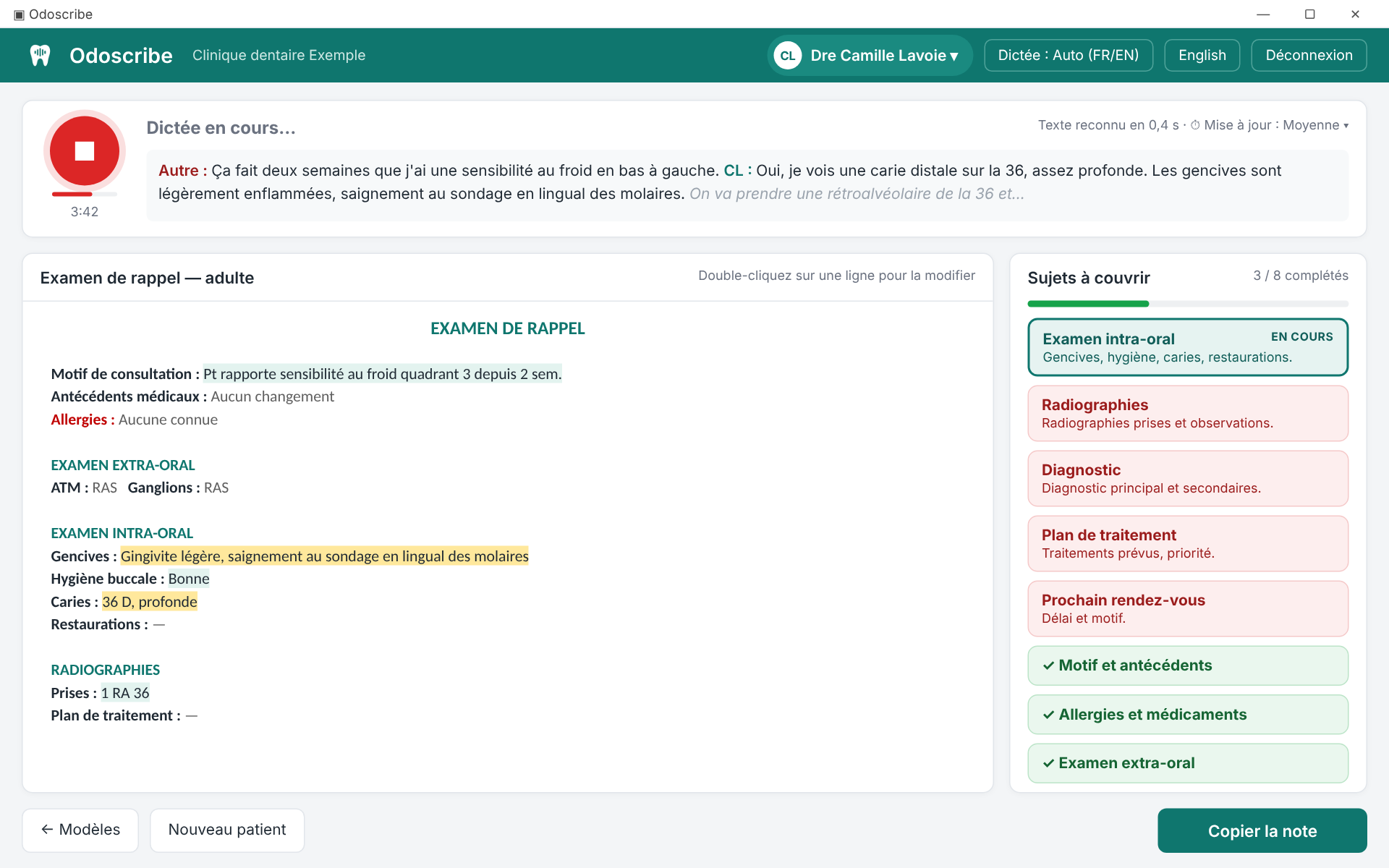
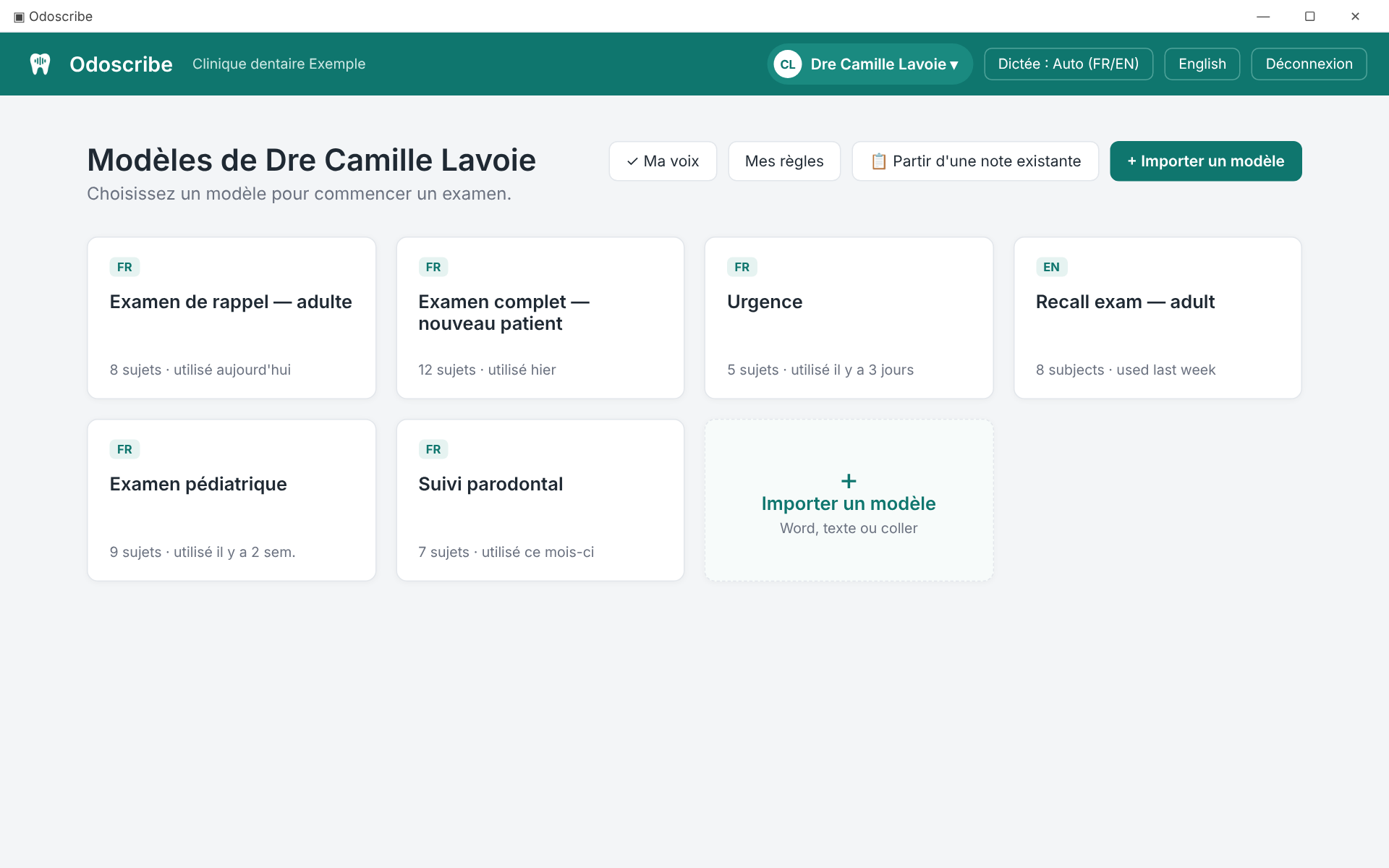
Open your Word template or paste it. Odoscribe keeps its formatting and finds the fields to fill and the subjects to cover on its own.
Talk as usual, to the patient or your assistant. Words appear live and the note fills in during the exam.
"Copy the note": a final review re-reads the whole exam, then the note pastes into your practice software, ready to sign.
Bold, colours, sizes and fonts are kept. Anything not dictated keeps the template's default ("TMJ: WNL").
Subjects to cover show in red and turn green as soon as they are discussed. Nothing gets missed.
With an optional voice profile, Odoscribe tells the dentist from the patient: findings come from the clinician, reported symptoms from the patient.
"From now on, when I say prophy, write scaling and polishing completed." The rule is kept for all your exams.
Paste the last recall note and dictate only what changed. Everything else stays untouched.
Dentist walks into the hygiene room? F2, their name: their templates and rules are ready.
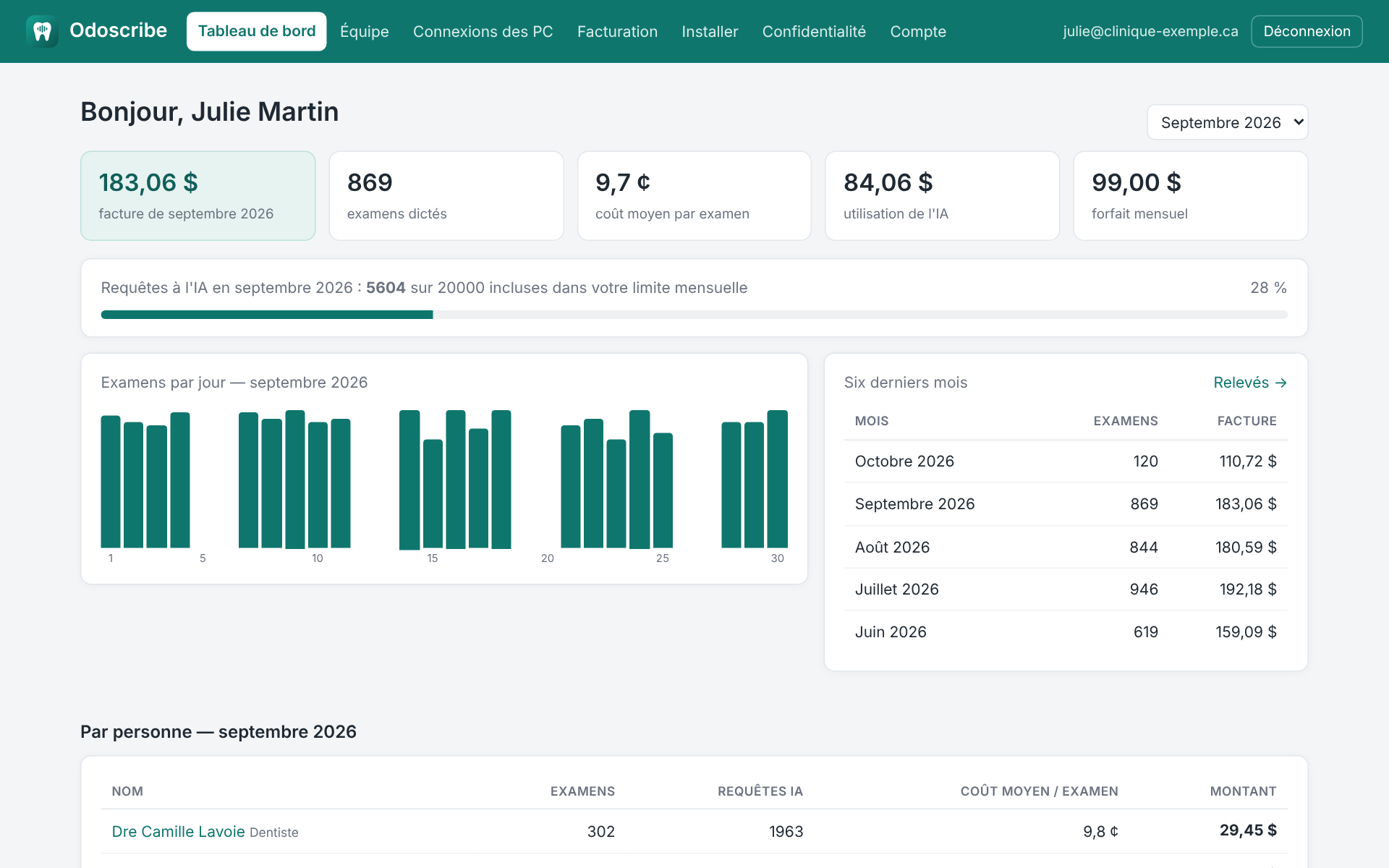
Management can always see what is used and what it costs, with no surprises at the end of the month.
Odoscribe was designed with Quebec's Law 25 in mind.
A monthly fee per clinic, plus actual usage. No commitment, in Canadian dollars. You see the cost of every exam in your portal.
Write to us for the rate that fits the size of your clinic.
Any software you can paste text into. The note is copied with its formatting (RTF and HTML) and as plain text, so each program takes the format it supports.
No. Import the ones you already use, from Word or by pasting. Every dentist and hygienist can have their own.
A recent Windows 10 or 11 PC (8 GB of memory) and an Internet connection. A headset or clip-on microphone gives the best results; no graphics card needed.
No. Voice is turned into text on the PC, without recording. We recommend letting patients know the tool is used.
The note stays under your control: you watch it fill in, fix any line with a double-click or by dictating the correction, and a final review re-reads the whole exam before copying.
Two-minute sign-up. Once the account is activated: install the app, add the team in the portal, import a template, and go.
 Odoscribe